
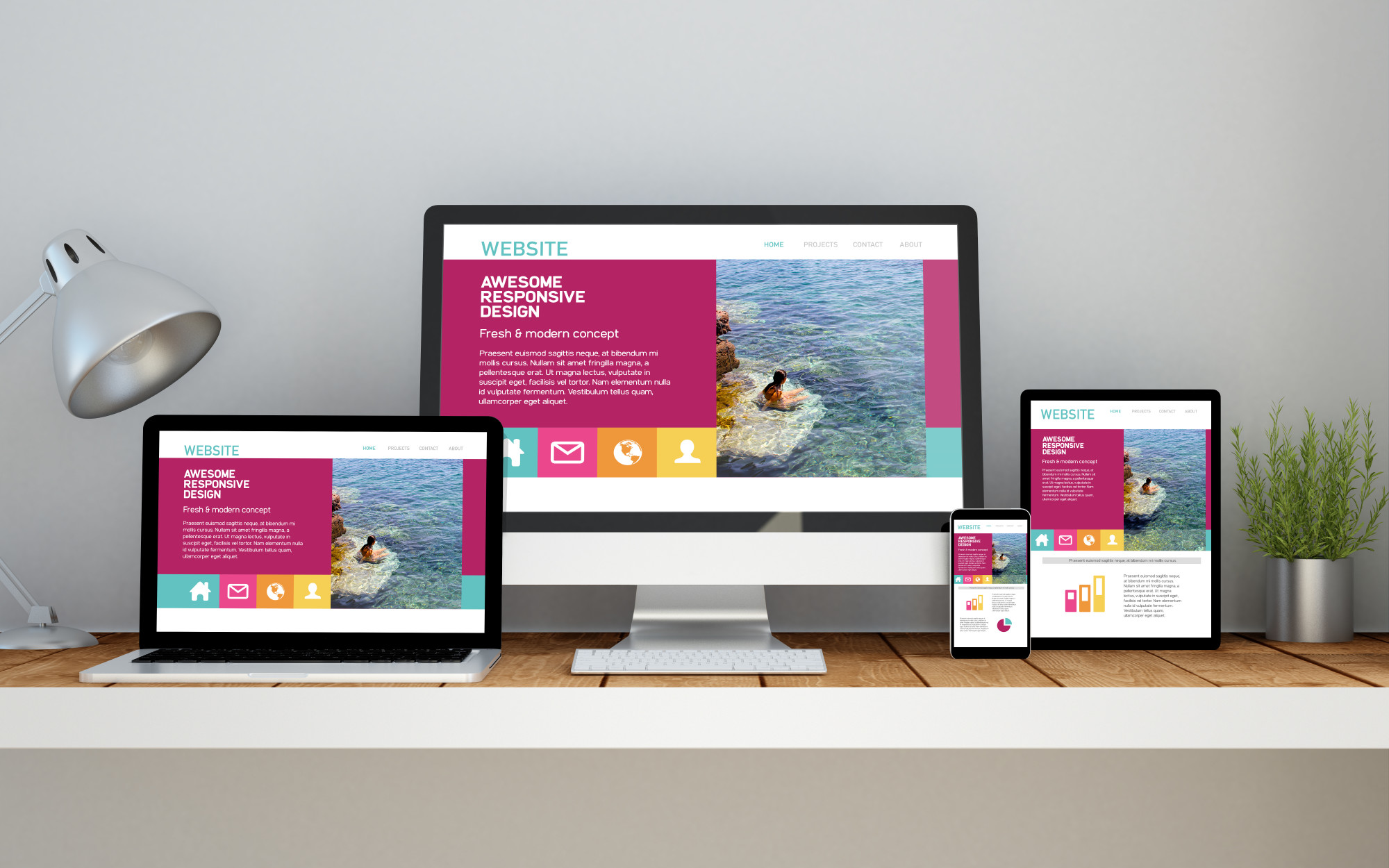
Nowadays, getting more visitors to your website is key to growing your business or brand. Did you know that as of July 2025, over 64% of global web traffic comes from mobile devices? That means most people are browsing on their phones or tablets, not just desktops.
However, this shift brings some challenges – if your website isn’t designed to work smoothly on different screen sizes, you risk losing visitors who get frustrated and leave quickly.
That’s where responsive web design comes in. It’s all about creating a site that automatically adjusts to fit any device, making it easy and enjoyable for everyone to use.
In this guide, we’ll walk you through how responsive design can boost your website traffic, tackle common mobile-friendly issues, and share simple solutions to keep your visitors happy and coming back for more.
Table of Contents
Responsive web design, or RWD, is a way of building websites that automatically adjust how they look based on the device you’re using.
Whether someone visits your site on a small phone screen or a large desktop monitor, the website changes its layout to fit perfectly. This approach helps solve the challenge of designing for many different screen sizes and orientations.
To make this happen, responsive design uses something called breakpoints. These breakpoints are usually based on the width of the browser window.
When the screen size crosses a breakpoint, the website switches to a different layout that works better for that size. This way, your site stays easy to read and navigate, no matter what device people use.

Google now penalizes non-mobile-friendly sites, and 61% of users will instantly leave if your site struggles on their device. Responsive design isn’t just about shrinking content; it’s about delivering flawless experiences across every screen.
Here’s your action plan:
The first step in making your site responsive is setting up media query ranges — also called breakpoints. These tell your website when to switch layouts based on screen width.
Common breakpoints include:
You can adjust these depending on your specific design needs.
Next, size your layout elements in a way that allows them to flex across devices. Using percentages instead of fixed pixels helps your layout adapt smoothly.
You can also use CSS Grid or Flexbox to control the placement of items like the header, sidebar, and footer. A mobile-first approach (starting with styles for small screens) works best and ensures your content looks good from the start.
Images should scale properly to fit all screen sizes without slowing down your site. One way to do this is by using the srcset attribute in your HTML, which allows the browser to choose the right image size based on the device.
If you use WordPress or a similar CMS, it often handles this for you automatically. This keeps your site fast and visually clean.
Don’t forget your text! It’s not just about layout and images; your font sizes should adjust too. You can set a base font size (like 16px) and tweak it within media queries to make sure it’s easy to read on smaller or larger screens. You can also target multiple elements at once to keep your text styles consistent and responsive.
Once your design is in place, it’s time to test. Start with Google’s Mobile-Friendly Test by entering your site URL to check if it passes.
Then, use browser tools like Chrome Developer Tools (press Ctrl + Shift + I on Windows or Cmd + Option + I on Mac) to preview your site on different devices. Testing helps you catch any layout issues and make sure everything looks great on every screen.

To make your website truly responsive, you’ll need to work with responsive breakpoints. A breakpoint is the screen width at which your site layout changes based on a media query. This lets your site adapt to different screen sizes by applying new styles that work better for each device.
Here are some common screen sizes you’ll want to keep in mind:
If you’re designing with a mobile-first approach, you’ll start with a simple layout for small screens (like one column and smaller text), then use breakpoints to adjust the design for larger devices.
You may not even need mobile breakpoints unless you’re targeting specific phone models. By using these common screen widths, you can make sure your site looks great on the most popular devices and keep your visitors engaged, no matter how they browse.

When building a responsive website, the type of CSS units you use can make a big difference. CSS offers both absolute units (like pixels or centimeters) and relative units (which adjust based on screen size or font size).
For responsive design, it’s usually better to work with relative units, since they help your layout adapt more smoothly across different devices.
Here’s a quick breakdown of some common CSS units:
If you’re just starting out, it’s okay to use pixels for text, since they’re straightforward. But when it comes to layout elements or images, using percentages or viewport units is a better choice.
This way, your content can be resized automatically to fit the screen, keeping everything user-friendly no matter what device people are on.

About 74% of users are more likely to return to mobile-friendly websites. People spend about 70% of their internet time on mobile devices too.
Your target audience is already online, researching businesses from their smartphones. Responsive web design will help you reach these customers.
Visitors can have a cohesive experience on your site, whether they’re using a:
A responsive website ensures consistency across devices, enhancing user experience and reducing bounce rates. With seamless navigation on all screen sizes, visitors are more likely to stay engaged.
Moreover, Google favors mobile-friendly sites, boosting their search engine rankings. Conversely, non-responsive sites risk lower rankings and decreased visibility. Google also looks for websites that have higher click-through rates and dwell times. As you generate website traffic, people will continue clicking around and reading your content.
Boosting SEO rankings for a range of target keywords can help with boosting website traffic, too. Otherwise, your ranking will drop. With responsive and effective SEO web design, you can improve your ranking and keep boosting website traffic.
Related article: 10 SEO Benefits of Responsive Web Design in 2022

Google wants to provide its users with an easy, fast and convenient experience. When determining rankings, it considers how users interact with your site.
Creating a positive user experience (UX) can help with boosting SEO rankings. Remember, higher SEO rankings will help you generate more website traffic.
About 90% of online shoppers won’t return to a website after a negative user experience. Meanwhile, 70% of digital businesses fail because of bad UX.
A higher bounce rate can have a negative impact on your search engine ranking. A lower ranking will make it more difficult for you to reach customers. Your prospects will visit a competitor’s website instead. Google prioritizes websites that offer a positive user experience. By creating a responsive site, you can show Google you prioritize UX, too.
Speeding up your website can improve the user experience. Consumers will have a fast, easy experience on your website. They won’t have to waste valuable time waiting for your pages to load. Instead, they’ll have immediate access to the information they’re looking for.
Different elements of your website can slow your pages down. You can use Google’s PageSpeed Insights to determine what’s causing your site to lag.
Then, you can make changes to speed up your site and improve the user experience.
A clean code can impact your responsive website’s ability to generate traffic. Your plugins and JavaScript can prevent search engine bots from crawling and indexing your website.
Google’s bots crawl and index your website, searching for target keywords. If it doesn’t find your target keyword at the top of the page, it could impact your ranking.
You’ll rank lower on search engines like Google, reducing the traffic you can generate.
If you’re interested in boosting website traffic, consider a responsive website design that follows Google’s core web vitals.
Google’s core web vitals consider UX-related signals to determine your rankings. Google looks at your:
There are three main vitals you’ll need to consider when updating your website:
LCP considers how long it takes your page’s main content to load. Your content could include plain text, images, and videos.
You can improve your LCP by:
FID measures the website’s interactivity based on user inputs.
Think about how people interact with your website. What happens when they click around or perform keypresses? How long will it take the browser to react to their interactions?
Improving the reaction time will ensure your pages are responsive. You can improve your FID by:
CLS considers how different elements move on your pages as the page loads. Neglecting CLS neglects your website’s visual stability.
Reduce CLS by:
Improving your website’s code will improve the user experience. Then, visitors will engage more with your content and stay longer.
You can increase SEO performance and your ranking to keep boosting website traffic.
Responsive web design will ensure your site is easy to use. If your site is messy or complicated, visitors will leave without clicking around. Your bounce rate will rise as a result.
Google studies your bounce rate to determine your search engine rankings. A higher bounce rate indicates people aren’t interested in your content. It might think your content isn’t relevant to the user’s search intent.
If you’re focused on boosting SEO rankings this year, you need to keep the user’s search intent in mind.

Search intent indicates what users expect to find from a search. If your content doesn’t meet the user’s needs, they’ll bounce. You’ll lose website traffic and potential leads or sales as a result. Responsive website design can ensure your website is easy to use and navigate.
You can use UX design trends to improve online usability, too. For example, you can:
UX design trends can ensure your website is easy to use and navigate. The more people click around and stick around, the more your bounce rate will fall. Then, you can improve your ranking to reach more customers.
You can work with an experienced web design and development agency to reduce your bounce rate, too.
Adding fresh forms, polls, quizzes, buttons, and other conversion opportunities can help you boost engagement. As people engage with your content, they’ll stick around longer. Your dwell times will improve, too.
As your bounce rate drops, your ranking will continue to rise.

Remember, most people don’t look beyond the first page of a Google search. If you’re interested in boosting website traffic, you need better SEO rankings. For better SEO rankings, you need a responsive website.
Google uses mobile-first indexing when determining rankings. Its bots will crawl and index the mobile version of your website first. If you don’t have a mobile version of your site, Google will boost your competitor’s sites instead.
As you increase SEO performance, you’ll also:
Remember, more people are conducting searches from their smartphones. If your website isn’t responsive, they’ll struggle to explore your content. They’ll leave without clicking around, increasing your bounce rate.
Instead, you can use responsive web design to improve your SEO rankings. You’ll reach more customers, generate more traffic, and improve your rankings further. You can improve your rankings with SEO management services.
Creating a separate mobile website can hurt your SEO ranking. Google will see it as duplicate content, which harms SEO. Your ranking will drop, impacting your ability to attract traffic.
Instead of a mobile version of your website, choose a responsive web design. You can maintain a single website, which will make it easier to make updates. In addition to saving you time, Google won’t get confused.
When social media users click on links to your website, they expect to see a mobile website. Otherwise, you could impact their user experience. They’ll leave, impacting your bounce rate.
A responsive site can encourage more social sharing. Social sharing can help you expand your reach, boosting website traffic for your business. You can grow your audience and further boost your SEO ranking as a result.
Boosting SEO rankings with a responsive site can help you generate more leads and conversions, too.
About 62% of companies increase sales by designing responsive mobile platforms. Meanwhile, 72% of people want mobile-friendly websites.
If a company’s website isn’t mobile-friendly, about 40% of users will return to a search engine to choose a different result. As you generate more leads, your ROI will improve. You can grow your business while keeping costs down.
Responsive design adapts the rendering (or appearance) of a single-page version, whereas adaptive design adapts the rendering for multiple devices.
Adaptive web design is the process of designing a website that adapts to the user’s device.
It means that the website will be designed in such a way that it can be displayed on any screen size and resolution, without compromising its layout or functionality.
Responsive web design is a method of creating websites that adapts their layout for different devices, such as desktops, tablets, smartphones, etc. It allows users to view sites at optimal resolutions regardless of the device they are using. It’s important to note that responsive design does not mean your site will look good on all mobile devices.

Responsive web design is made up of three key parts that work together to create a smooth experience across all screen sizes:
Media queries are a part of CSS that lets your website adjust its layout based on the size of the user’s device. For example, you can show a different layout on a phone than on a desktop. This helps keep everything readable and user-friendly.
The browser is what people use to view your website (like Chrome, Safari, or Firefox). It plays a key role by detecting the device’s screen size and applying the right styles using media queries.
This is the flexible structure of your website. It allows elements like text, images, buttons, and forms to be resized or rearranged based on the screen. That way, everything fits properly and looks good whether someone’s using a laptop, tablet, or smartphone.
Together, these components ensure your website looks great and works well on any device.

Here are five real-world examples of responsive web design in action, each showing how different types of websites adapt to various screen sizes:
The New York Times website looks like a traditional newspaper on desktop, with multiple columns and lots of content categories visible at once. But on mobile, it shifts to a clean single-column layout and uses a collapsible (accordion-style) menu to keep things easy to navigate.
Chris Guillebeau’s long-running blog keeps things simple. On larger screens, it uses a two-column layout with a sidebar. On mobile, it turns into a single-column view, stacking the content neatly for easier reading without losing any of its core structure.
Amazon’s site is a great example of responsive e-commerce design. On tablets, it trims white space and adds scrollable sections to fit more products. On mobile, the layout switches to a single column and focuses on key features like your order history and recommendations, making shopping fast and smooth.
YouTube uses a flexible video grid that changes based on screen size. On tablets, it shows three videos per row; on mobile, it drops to one. The mobile version also moves the menu bar to the bottom of the screen so it’s easier to use with your thumb; perfect for smartphone users.
Wired’s design simplifies content on smaller screens. Starting with tablets, it moves to a single-column layout. This layout highlights their most important stories and makes their call-to-action for subscriptions stand out, helping them keep readers engaged across all devices.

Creating a responsive website isn’t just about resizing elements; it’s about delivering the best experience across all screen sizes and devices. To do that, you need a thoughtful approach that takes both user behavior and technical factors into account.
Here are some key best practices to help guide your responsive web design strategy:
Since mobile devices account for over 64% of web traffic globally, designing your site for mobile users first is a smart move. It’s easier to scale a simple mobile layout up for desktops than the other way around.
Not all users have the same screen size. For example, many people use phones with 360px screens, while others use tablets or desktops. Use analytics tools like StatCounter to find out what screen sizes your audience is using, then design for those breakpoints.
Not every browser supports the latest design features. Make sure your website works smoothly across popular browsers and provides fallbacks for older ones to ensure a consistent experience for everyone.
On mobile, users interact with their thumbs. Ensure buttons are big enough, links are easy to tap, and key elements are reachable without users stretching or accidentally tapping the wrong thing. Position navigation menus and interactive content within thumb-friendly zones.
The traditional F-pattern used for desktop reading doesn’t apply to mobile. Users focus on the center of their screens first, so place your most important information (like CTAs and navigation) there.
 6. Handle Breakpoints Gracefully
 Your layout should respond smoothly between screen sizes. Some users don’t maximize their browser window or may use less common screen widths, so test how your site behaves at all in-between sizes.
Avoid stuffing mobile screens with all the same content from the desktop version. Prioritize essential information and give users options to explore more if they choose. This keeps the experience fast and focused.
People often use phones or tablets in landscape mode. Make sure your layout adapts well to this orientation without breaking or becoming hard to navigate.
Instead of relying on traditional image formats, scalable vector graphics (SVGs) are a great solution. They resize beautifully without losing quality and usually come with smaller file sizes, helping speed up your site.
Responsive design evolves, and clinging to outdated methods can limit your site’s effectiveness. Embrace modern techniques and technologies that offer better flexibility, performance, and user experience.

Making sure your website looks great and works well on all devices is essential, and that’s where responsive design testing tools come in. Here are five of the most popular and user-friendly tools to help you test and improve your website’s responsiveness.
Built right into your Chrome browser, the Inspect Tool is a go-to option for many developers. While it might look technical at first glance, it’s actually pretty straightforward. The device toolbar lets you preview your website on different screen sizes—from smartphones to desktops.
You can switch between mobile viewport mode and responsive mode, stretch or shrink the view, and find layout breakpoints where things might look off. It’s a handy tool for spotting problems early on.
This tool by Google focuses on one key thing: how mobile-friendly your site is. Just enter your URL, and it evaluates things like load time, readability, scrolling, and if your site’s layout fits mobile screens properly.
You’ll get a clear score and a list of suggestions to help you make improvements based on Google’s own mobile standards, a great way to make sure your site performs well in search results, too.
Designmodo’s tool stands out for its simplicity. Just type in your website URL, and you’ll see how it looks across a wide range of devices—including smartphones, tablets, laptops, and desktops.
You can even set your own custom screen size. Best of all, you can click around and interact with the site directly within the tool, letting you test menus, forms, sliders, and more.
This classic tool gives you a visual preview of your website on four standard devices: desktop, laptop, tablet, and phone. It’s simple and static but still lets you interact with each screen—scrolling, clicking, and opening menus.
It’s great for taking quick screenshots and for non-developers who just want a basic check on how their site appears on different devices.
BrowserStack’s free Responsive Testing tool shows screenshots of your website on popular Android and iOS devices, from iPhone X to Kindle. While it doesn’t offer full interaction, it gives a solid overview of how your site appears across a wide variety of screen sizes. It’s perfect for getting a quick visual check before going live.

Responsive web design isn’t just a trend; it’s a must-have for driving more traffic to your website and keeping visitors engaged across all devices. From flexible layouts to mobile-friendly testing tools, every step you take toward a responsive design makes your site more user-friendly and SEO-ready.
Need help making your website responsive and high-performing? BrandLume’s web design and development services are here to make it happen. Whether you’re starting from scratch or need a site refresh, our team builds websites that look great, load fast, and work perfectly on any device.
